
Step 1: Launch Outlook on your Desktop

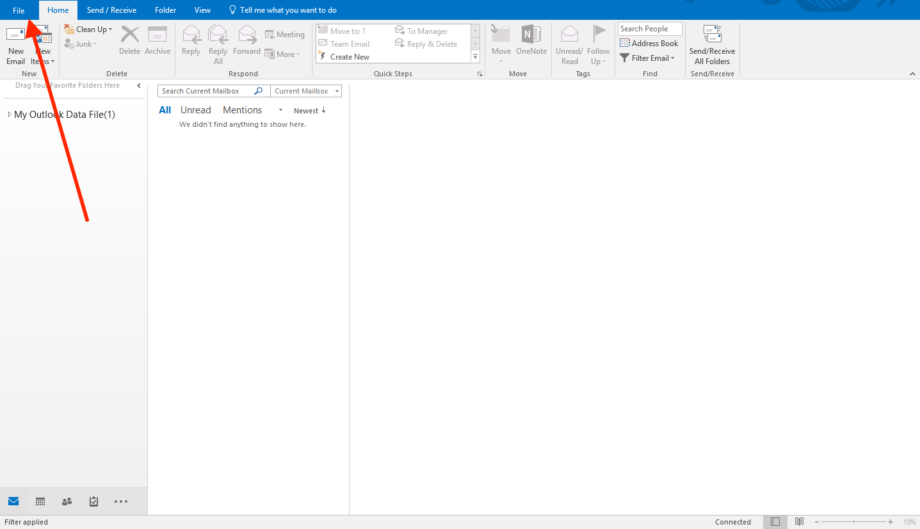
Step 2: Click File
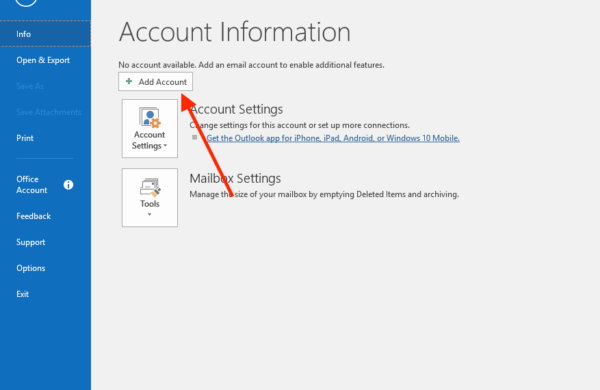
Step 3: Click Add Account
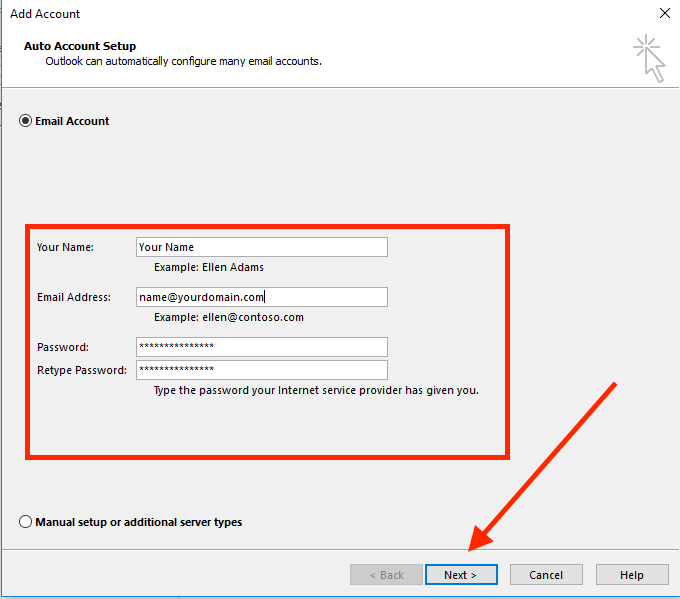
Step 4: Type in your Webmail Username & Password
Replace name and yourdomain with your ACTUAL webmail username and domain name
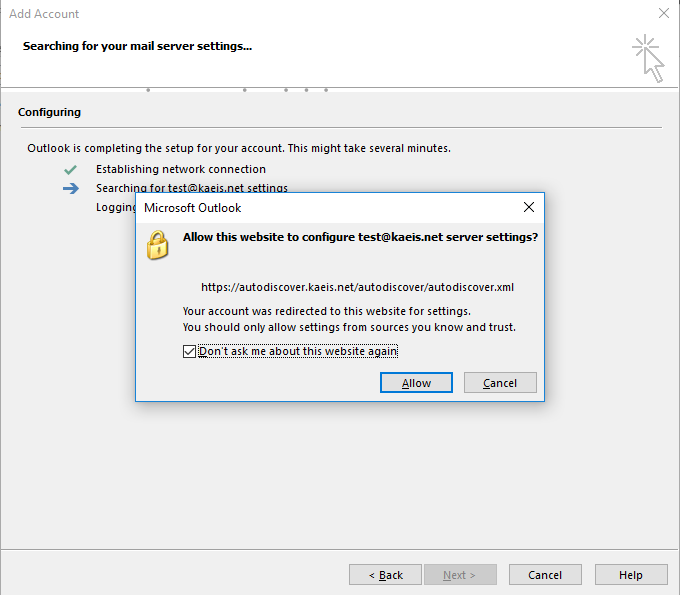
Click Allow and Don’t ask me about the website again if there is a popup as below
Step 5: Click Finish
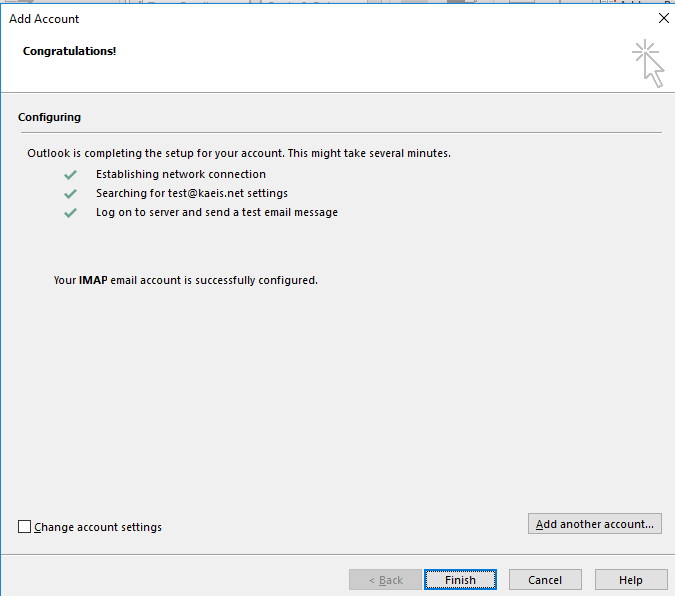
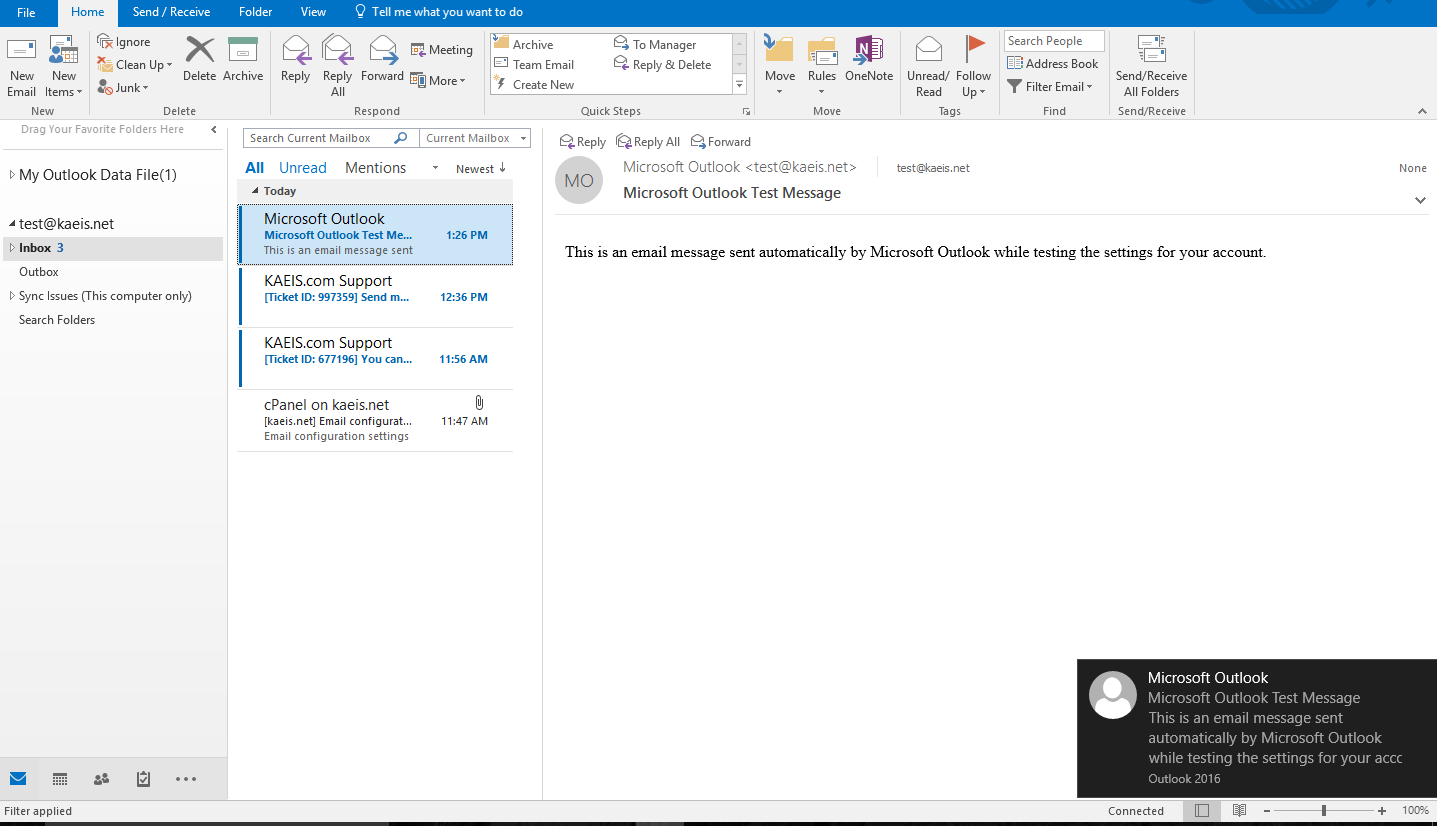
Step 6: That’s it, you’re done! You can send and receive webmail on Outlook for Windows
Leave A Comment?